First time here? Check out the FAQ!
0

all my access control has changed where each invited user who previously only had access to their own single store now has access to every single store under my account! Do I have to manually remove them all or will PAD fix this problem?

  • retag add tags

I have an education account and each student was only invited to their own single store, but now overnight it seems access has changed so every student has access to every store!!!

PADTutors's avatar
1
PADTutors
asked 2026-03-09 19:53:44 +0000
edit flag offensive 0 remove flag close merge delete

Comments

add a comment see more comments

1 Answer

0

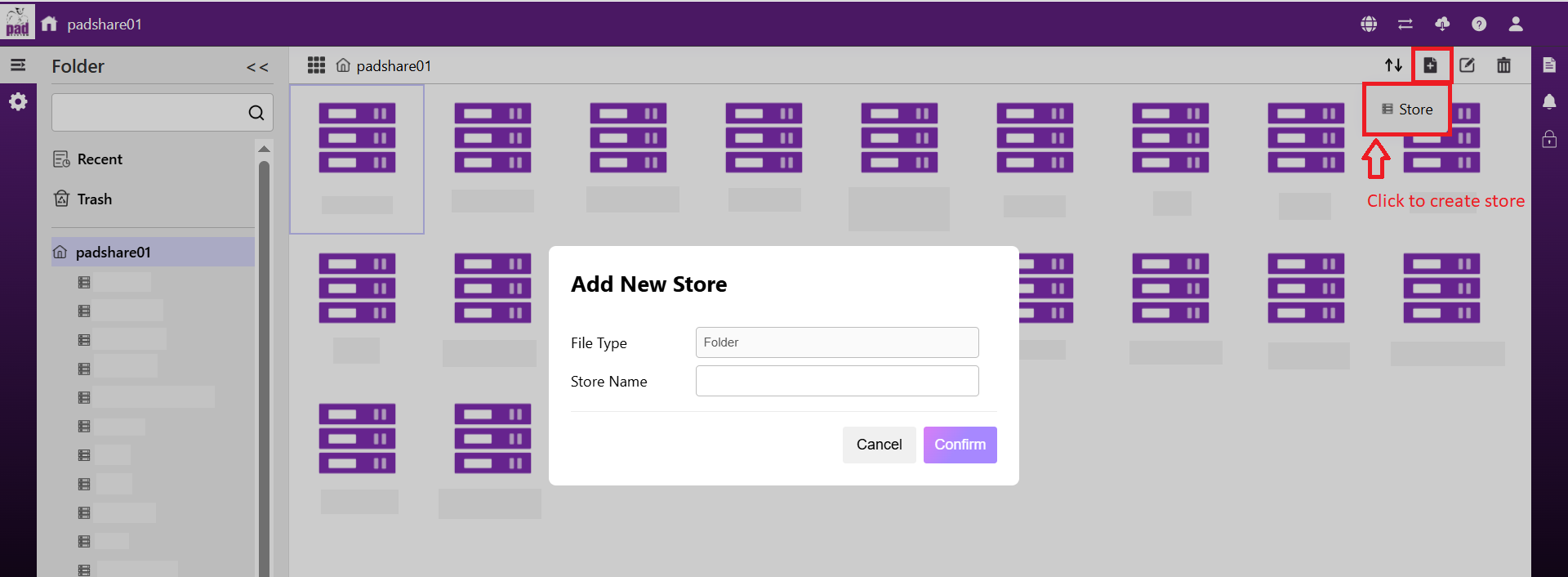
The Access Control feature has been updated. Please follow the steps below to set up and invite users to individual shared stores:

  1. Create the stores based on the number of people you have. (For example, create one store for each person.) image description
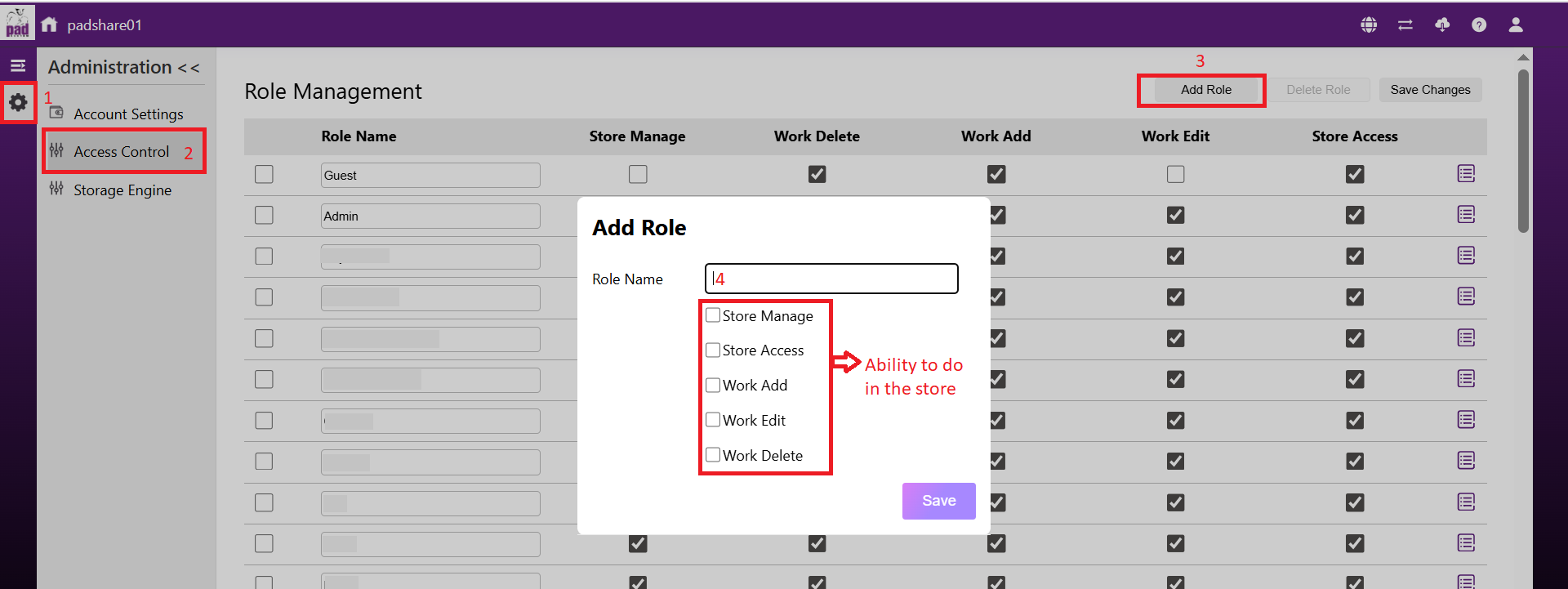
  2. Go to Access Settings, then click "Add Role" to create new roles according to the number of people who need separate shared stores. image description
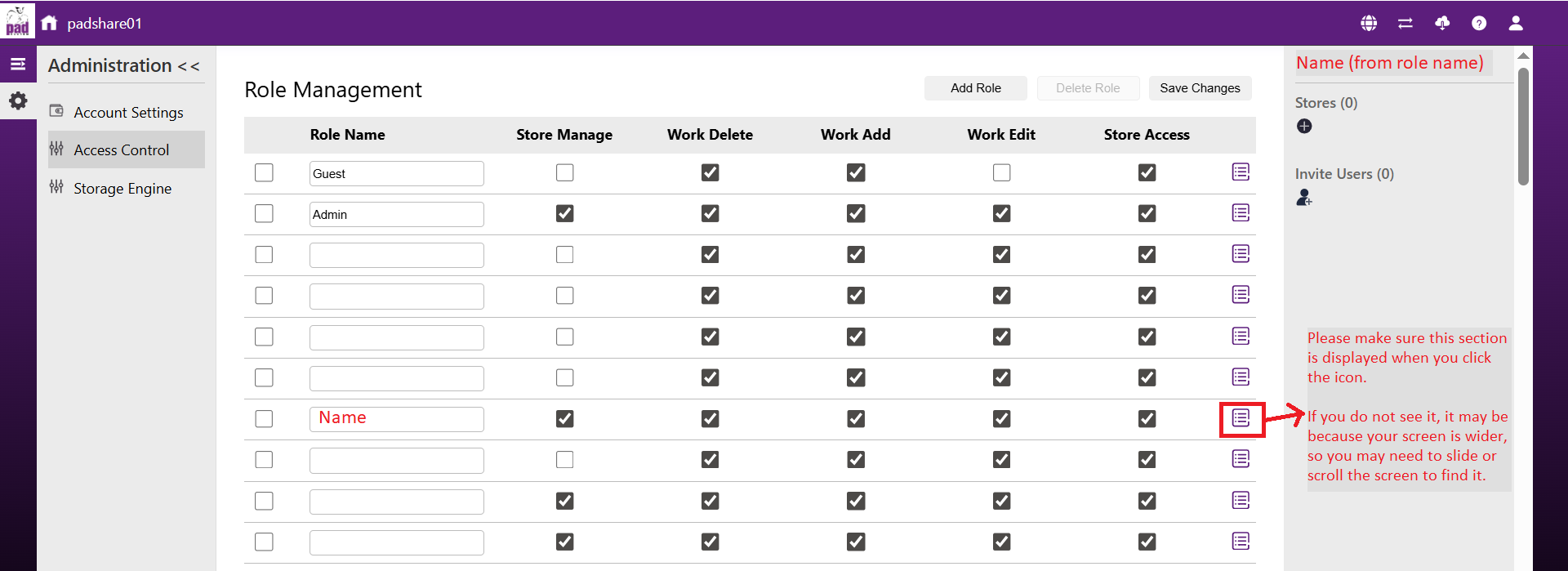
  3. Configure each role as needed. Click the icon next to each role name. image description
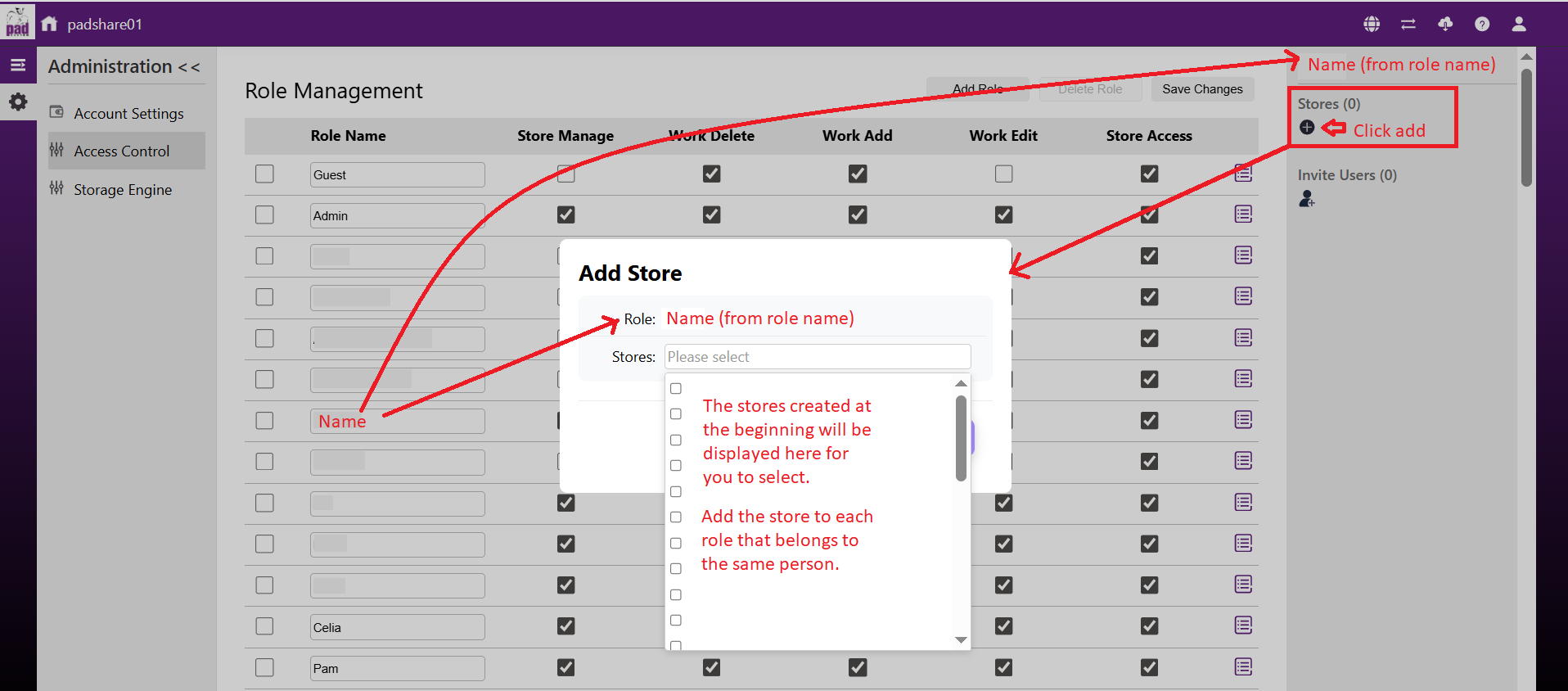
  4. Add a store to each role so that access to the stores is separated. image description
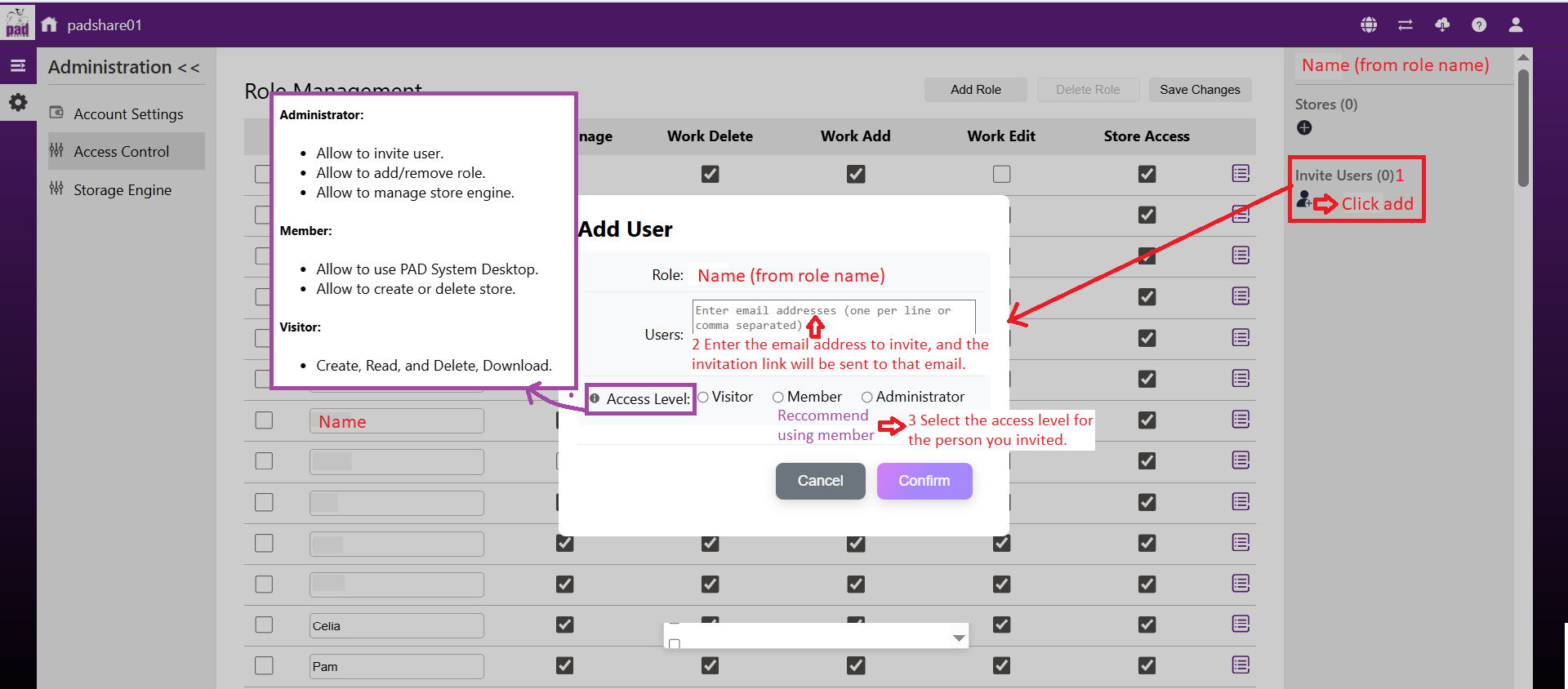
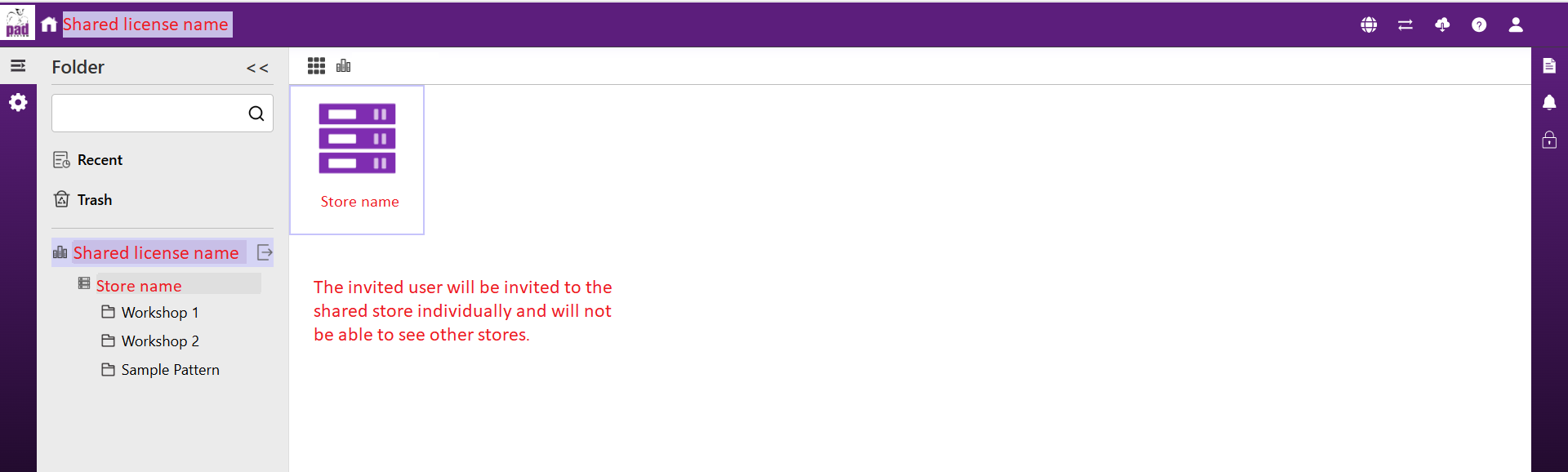
  5. Invite users to the corresponding role to control their access to the store. You can also set the Access Level to determine whether the invited user can manage the access settings. If you want the invited user to work in the store but not access the access settings, we recommend selecting "Member". image description 6.The invited user will be invited to the shared store individually and will not be able to see other stores. image description
Please check our updated Access control guide for more details at the link below: https://wiki.padsystem.com/doku.php?id=en:padsystemversion8.0:padsystem8cloudusermanual#access_control

nittaya.p's avatar
1
nittaya.p
answered 2026-03-13 09:20:51 +0000
edit flag offensive 0 remove flag delete link

Comments

add a comment see more comments