
Revision history [back]

Sometimes the security setting might prevent installing PadAgent, please follow the steps to allow the PadAgent to run and install below:
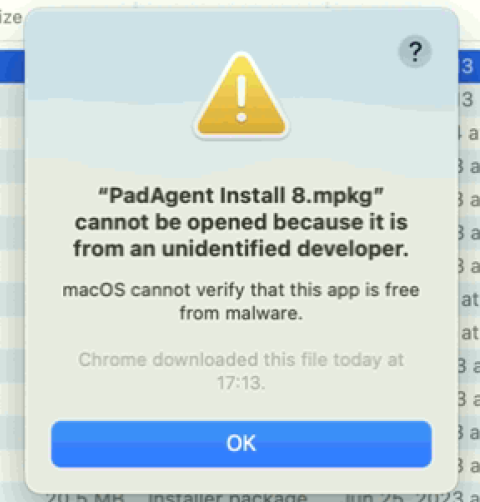
- If you receive this message, please click 'OK' to close the message
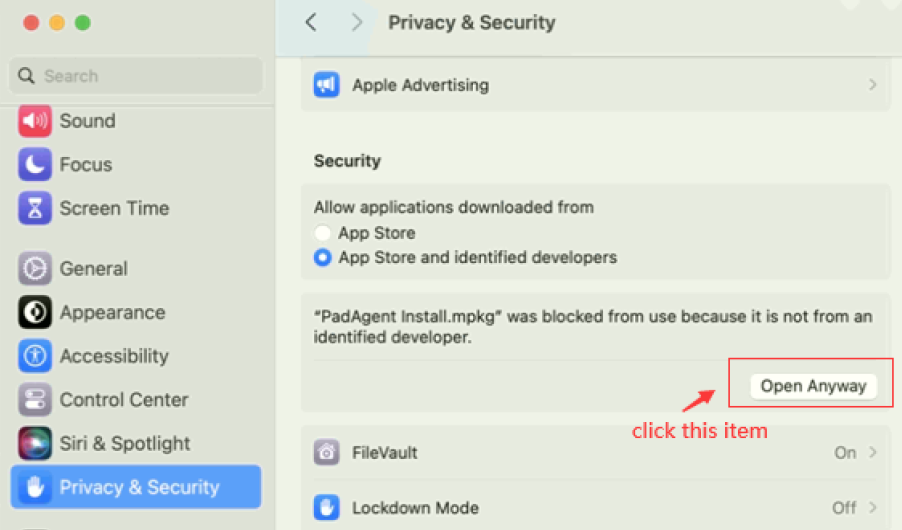
- Go to 'System setting' > 'Privacy & Security' > Click 'Open anyway'
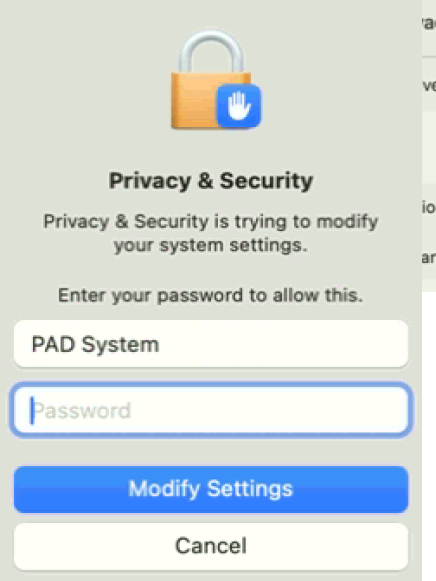
- Input the password to activate the install function
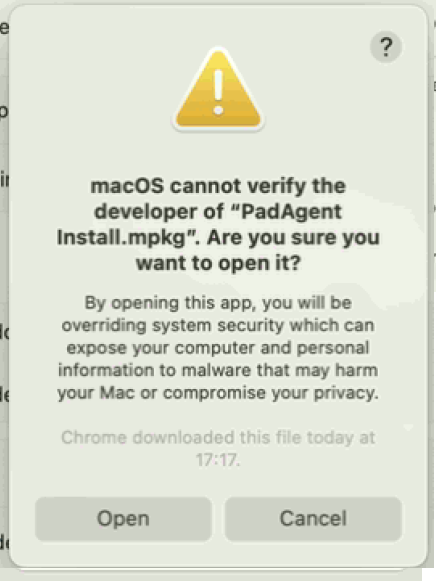
- If this message appears, please click 'open'.
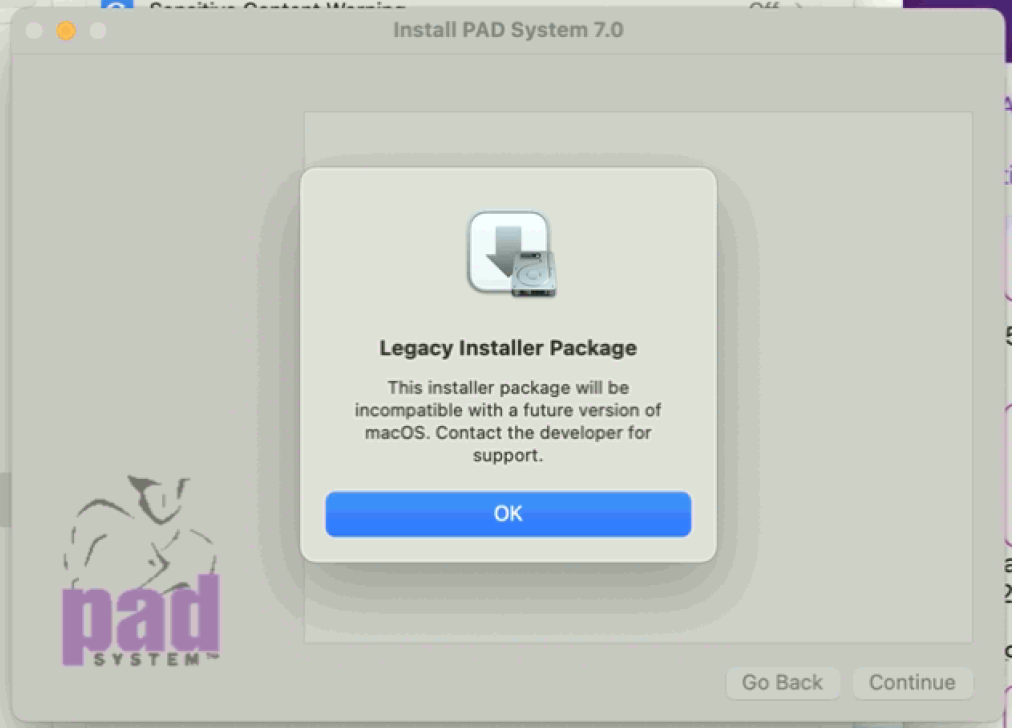
- Please click OK Legacy Installer package
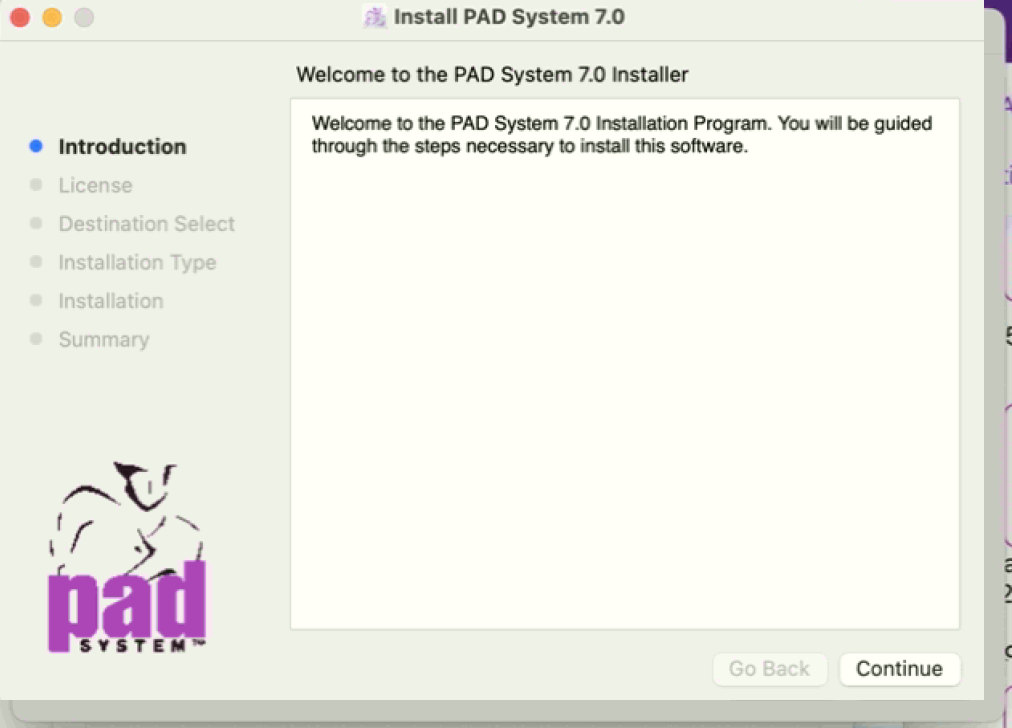
- It will pop up to install PadAgent, please click to install PadAgent
Sometimes the security setting might prevent installing PadAgent, please follow the steps to allow the PadAgent to run and install below:
- below:
1. If you receive this message, please click 'OK' to close the
messagemessage
- 2. Go to 'System setting' > 'Privacy & Security' > Click 'Open
anyway'anyway'
- 3. Input the password to activate the install
functionfunction
- 4. If this message appears, please click
'open'.'open'.
- 5. Please click OK Legacy Installer
packagepackage
- 6. It will pop up to install PadAgent, please click to install
PadAgent
PadAgent
Sometimes We are currently unable to open images on the security setting might prevent installing PadAgent, forum to check them.
Could you please follow provide the steps to allow the PadAgent to run and install below:
1. If you receive this message, please click 'OK' to close the message
error message
2. Go to 'System setting' > 'Privacy & Security' > Click 'Open anyway'
3. Input the password to activate the install function
4. If this appears, please click 'open'.
so we can check it again?
5. Please click OK Legacy Installer package
6. It will pop up to install PadAgent, please click to install PadAgent