Revision history [back]

The Access Control feature has been updated. Please follow the steps below to set up and invite users to individual shared stores:
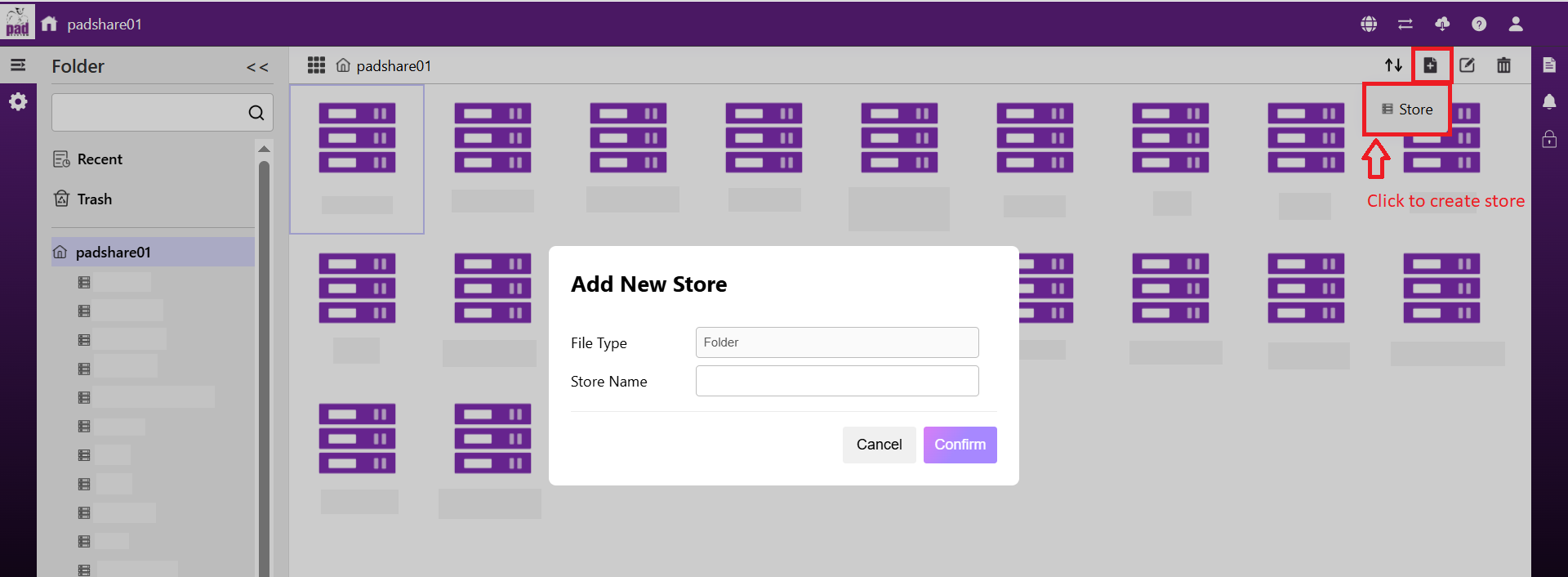
- Create the stores based on the number of people you have.
(For example, create one store for each person.)
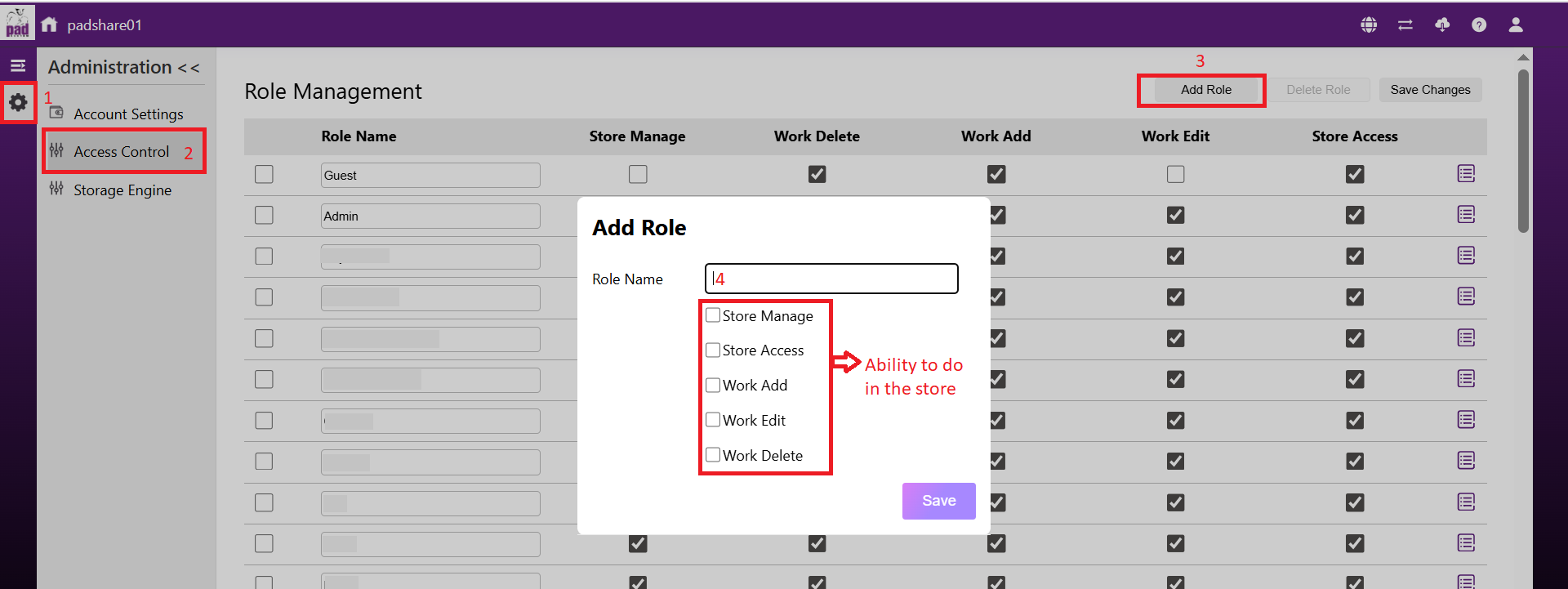
- Go to Access Settings, then click "Add Role" to create new roles according to the number of people who need separate shared stores.
- Configure each role as needed. Click the icon next to each role name.
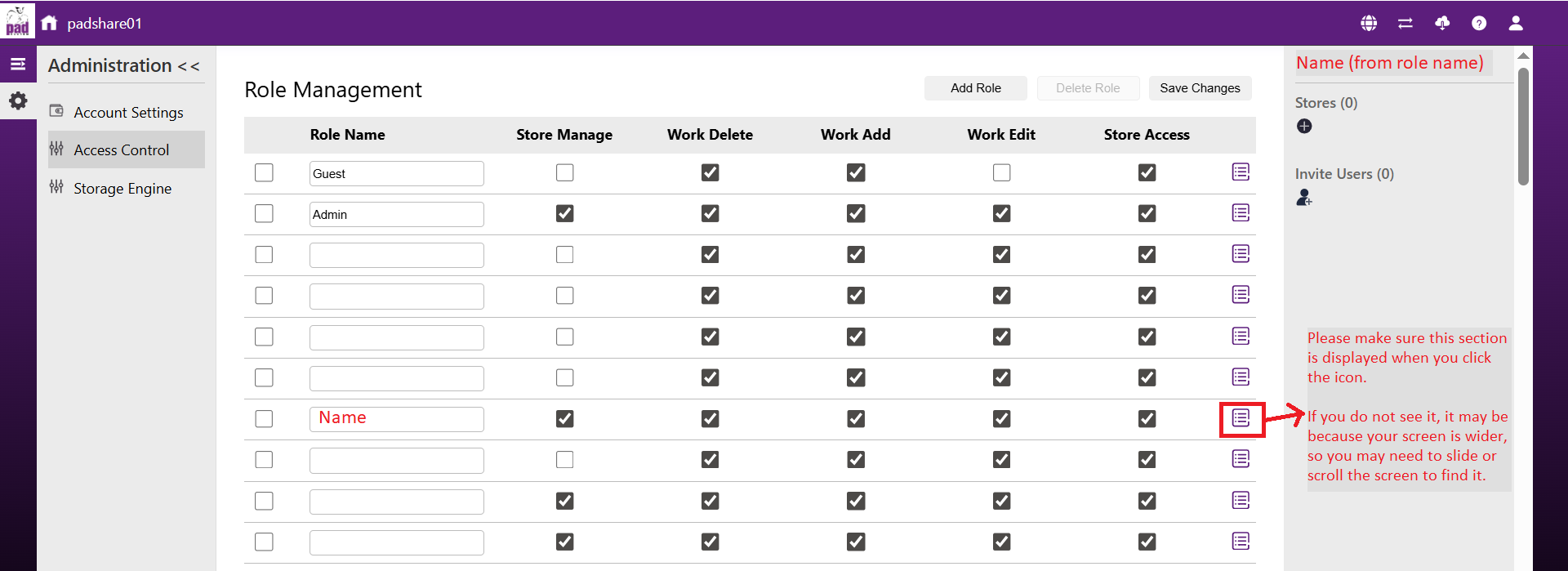
- Add a store to each role so that access to the stores is separated.
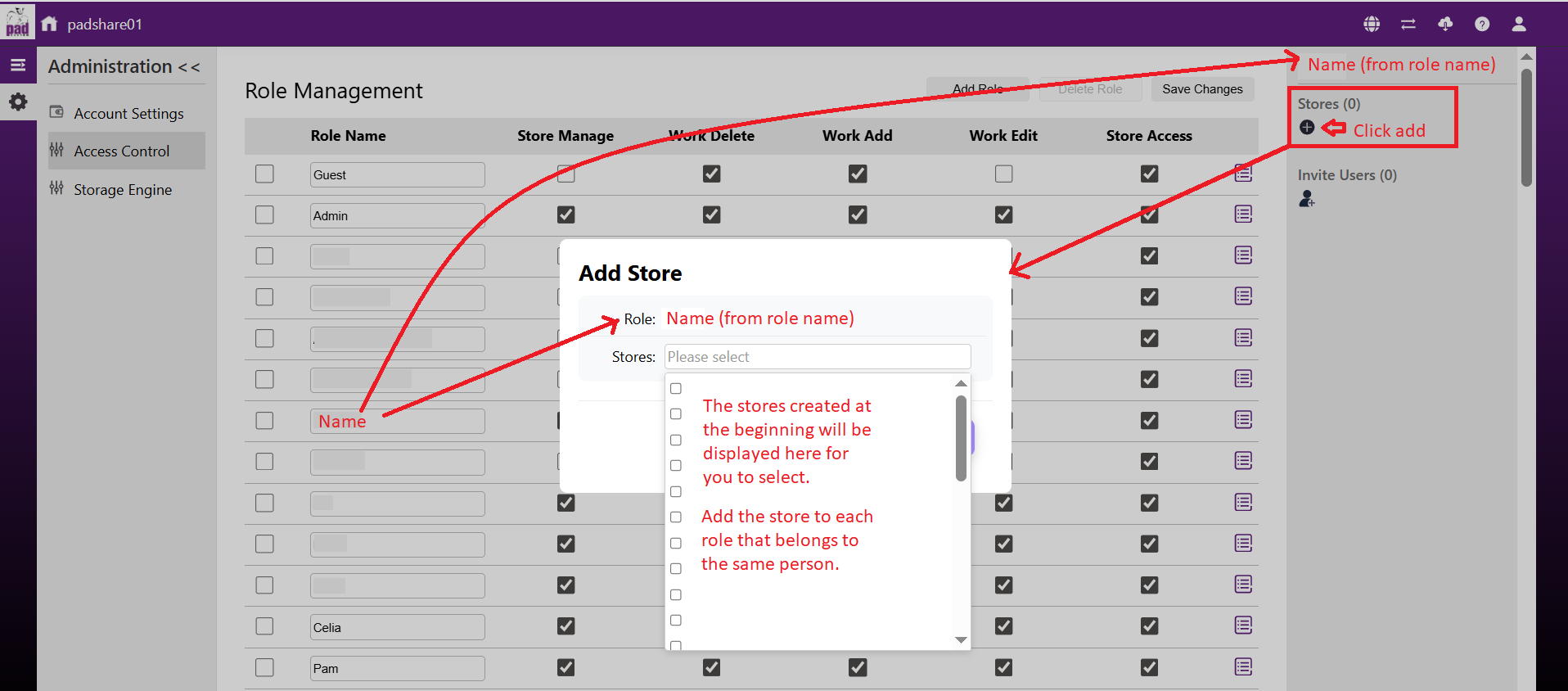
- Invite users to the corresponding role to control their access to the store.
You can also set the Access Level to determine whether the invited user can manage the access settings.
If you want the invited user to work in the store but not access the access settings, we recommend selecting "Member".
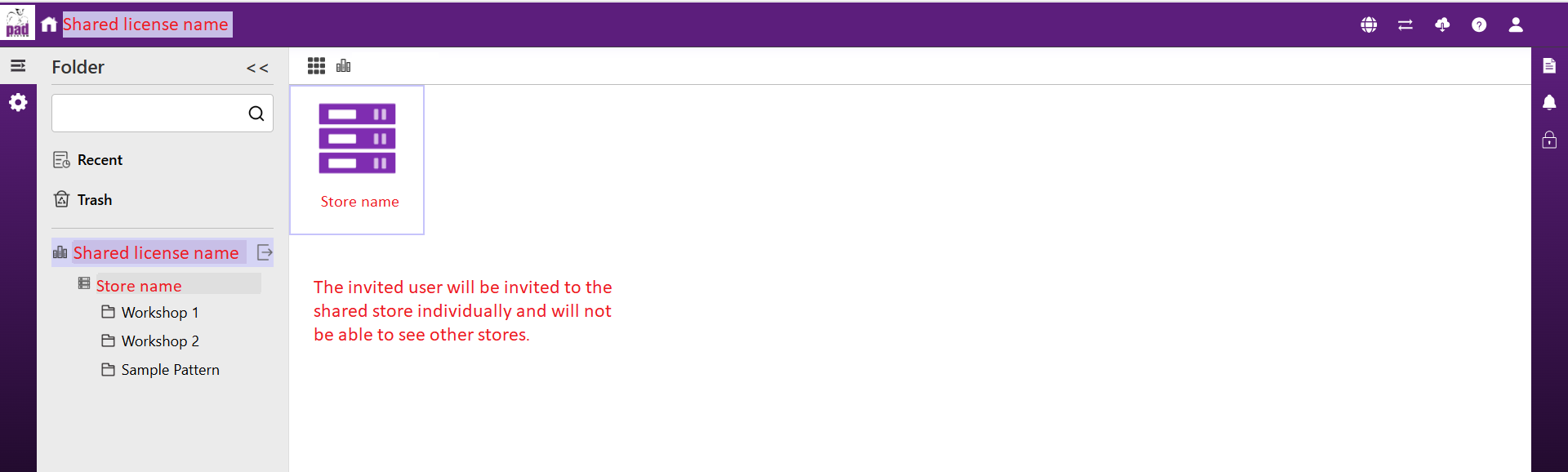
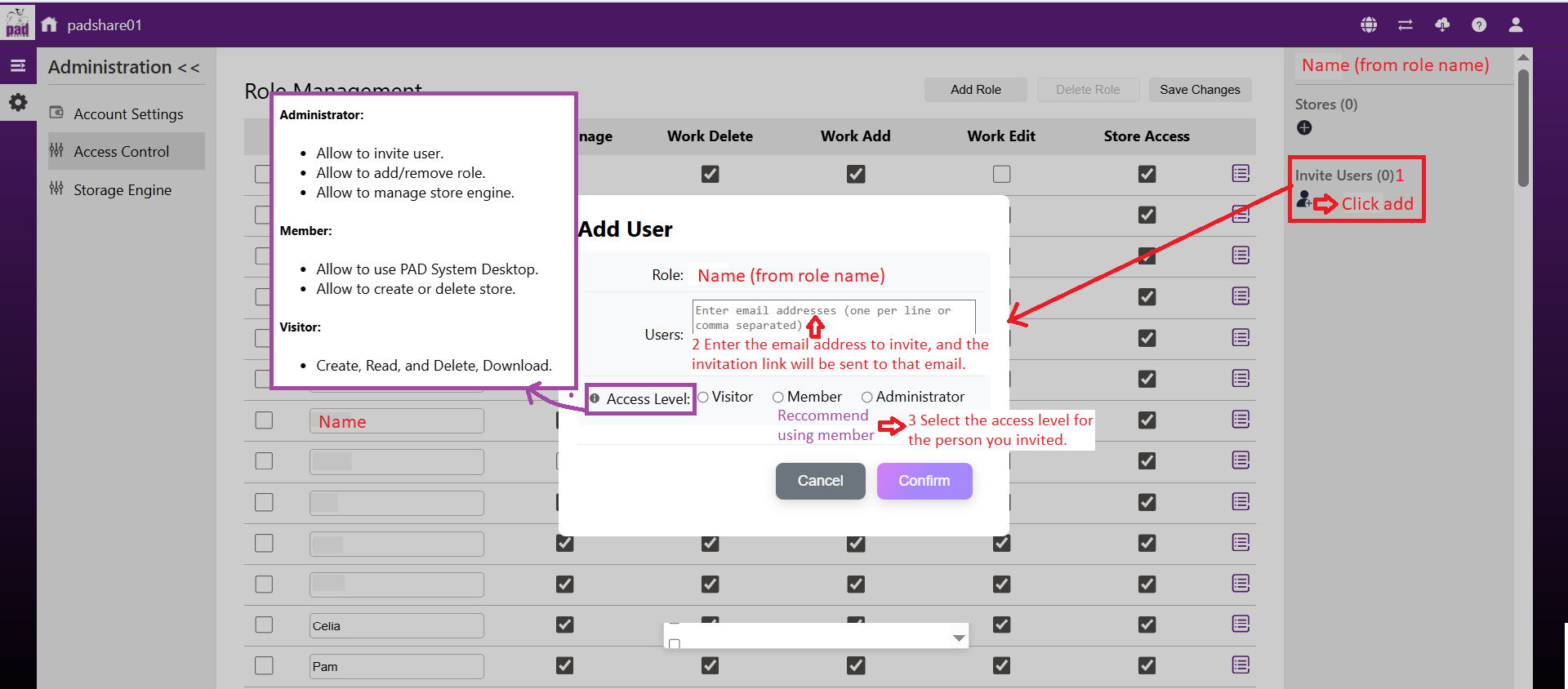 6.The invited user will be invited to the shared store individually and will not be able to see other stores.