First time here? Check out the FAQ!
0

Is it possible to rotate the grainline (example for bias cut etc.)?

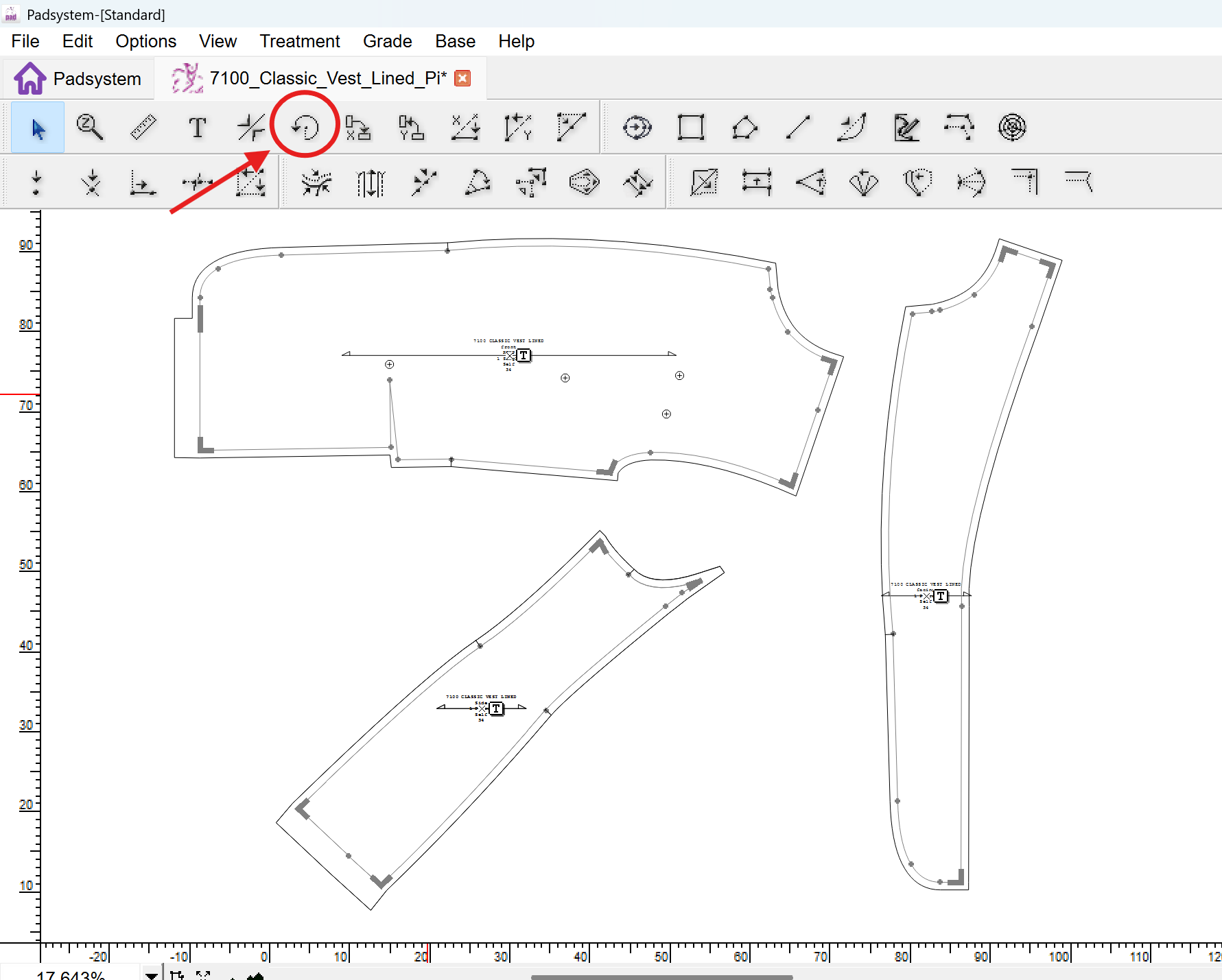
I'm wondering if it is possible to rotate the grainline if needed? For bias cut for example or to rotate it 90degrees. I did not found any tool and the usual rotate-tool did not work.
asked 2026-01-28 15:12:34 +0000
This post is a wiki. Anyone with karma >75 is welcome to improve it.
edit flag offensive 0 remove flag close merge delete

Comments

add a comment see more comments

1 Answer

0

image description

Hello, The grainline itself cannot be changed and will always remain horizontal. However, you can achieve a bias cut or a different grain direction by rotating the pattern piece using the Rotate tool (as shown in the attached image).

Bo's avatar
1
Bo
answered 2026-01-29 03:38:12 +0000
edit flag offensive 0 remove flag delete link

Comments

add a comment see more comments