First time here? Check out the FAQ!
0

Mirroring digitized pattern pieces does not work

I often got handdrawn patterns from my clients which I have to digitize. I do so by taking a photo and uload it to PAD. This I figured out how to do it properly so far.

But I got an issue with the mirror-tool: All digitized pieces can't be mirrored. I select the segment which should be the axis, click on the mirror tool and then click again on the selected segment. But nothing happens.

If I do this with self drawn pieces within PAD the mirror-tool works fine. There's only an issue with digitized filed. I do copy the digitized files and place them in the pattern files and working on them there. Seam allowanced and grading works all fine, but when I want to mirror a piece that was first digitized, copied and pasted into a pattern file, it doesn't work.

Does anybody has the same issue or knows what I'm doing wrong?

hallo's avatar
1
hallo
asked 2026-02-09 13:42:51 +0000
edit flag offensive 0 remove flag close merge delete

Comments

add a comment see more comments

1 Answer

0

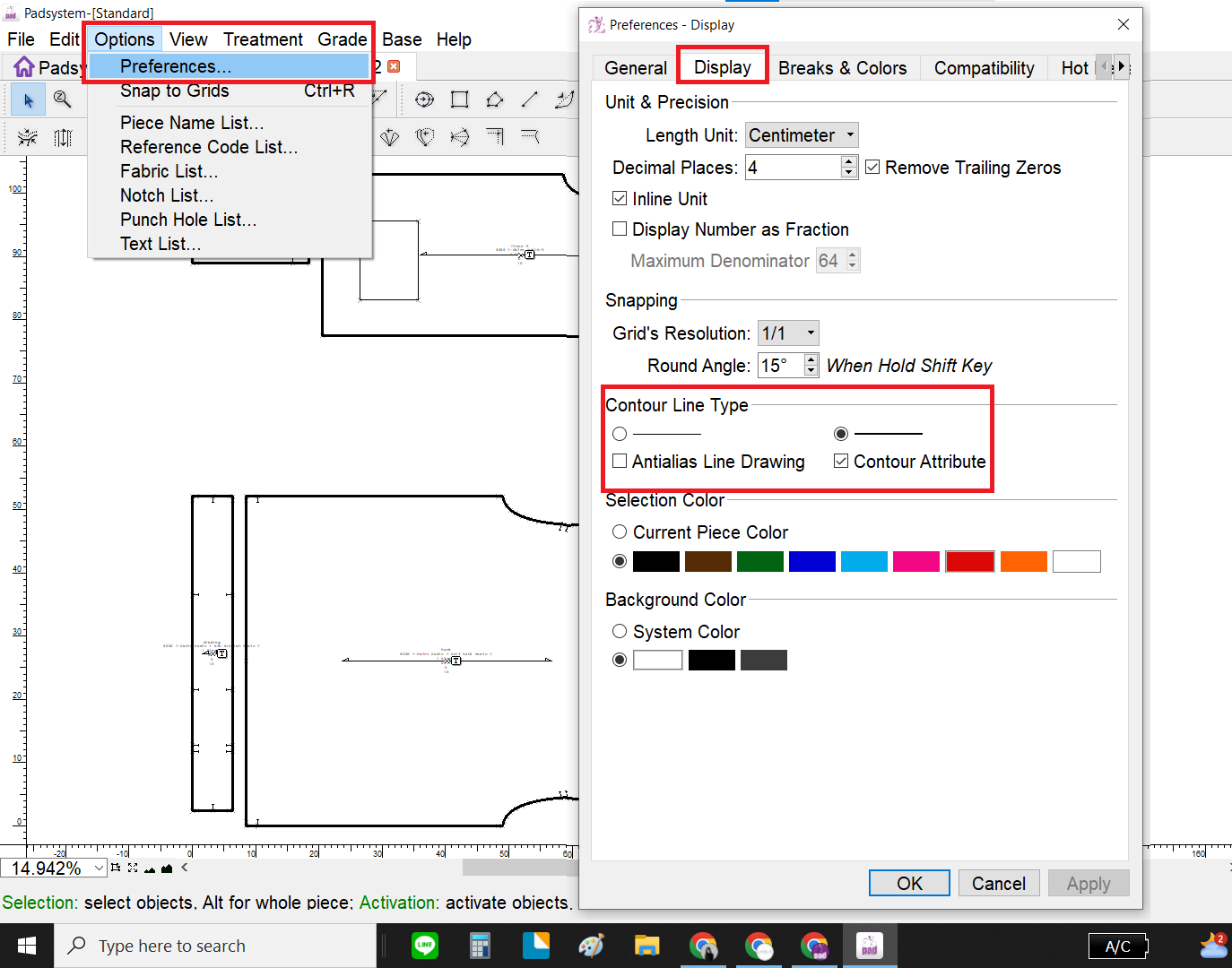
The segment created during digitizing is an internal segment. If you try to mirror a piece that has only an internal segment, it will not mirror. Only pieces with contour segments can be mirrored.

To see the difference between segments, please set the contour segment to display with a thick line.

image description

nittaya.p's avatar
1
nittaya.p
answered 2026-02-09 16:58:19 +0000
edit flag offensive 0 remove flag delete link

Comments

Thank you. So I found out after copy and paste a digitized pattern into the pattern file I have to go to "set pieces" and click the box "plan", so the piece will be copied with contour segment and the mirror tool works.

hallo's avatar hallo (2026-02-10 17:30:46 +0000) edit

----------

hallo's avatar hallo (2026-02-27 08:17:15 +0000) edit
add a comment see more comments